tools
YHETI Studio
Your next sound starts here.
Explore the project →INDEPENDENT GAMES · CREATIVE SOFTWARE · ORIGINAL WORLDS
Prepare sprites, animation, images, and audio with Yeti Forge, Drunk Yeti’s free local asset workbench for game creators.
From art to game-ready assets.
Bring your sprites, art, and sounds into one asset-preparation workflow. Preview a result, save a reusable recipe, and export a clean package for your next game.
Pack sprite atlases with trimming, padding, and editable pivots. Preview animation, slice sheets, and batch resize or convert images. Export options include PNG sheets, Phaser JSON, and Godot 4 AtlasTexture resources.
Check missing files, duplicates, empty sprites, and background problems. Package assets with license text, tags, checksums, and a ZIP, then verify the files after moving them.
Original files remain untouched and exports go to new folders. Saved recipes, undo/redo, recovery, and command-line builds support repeatable work. Audio conversion uses a separate local FFmpeg installation.
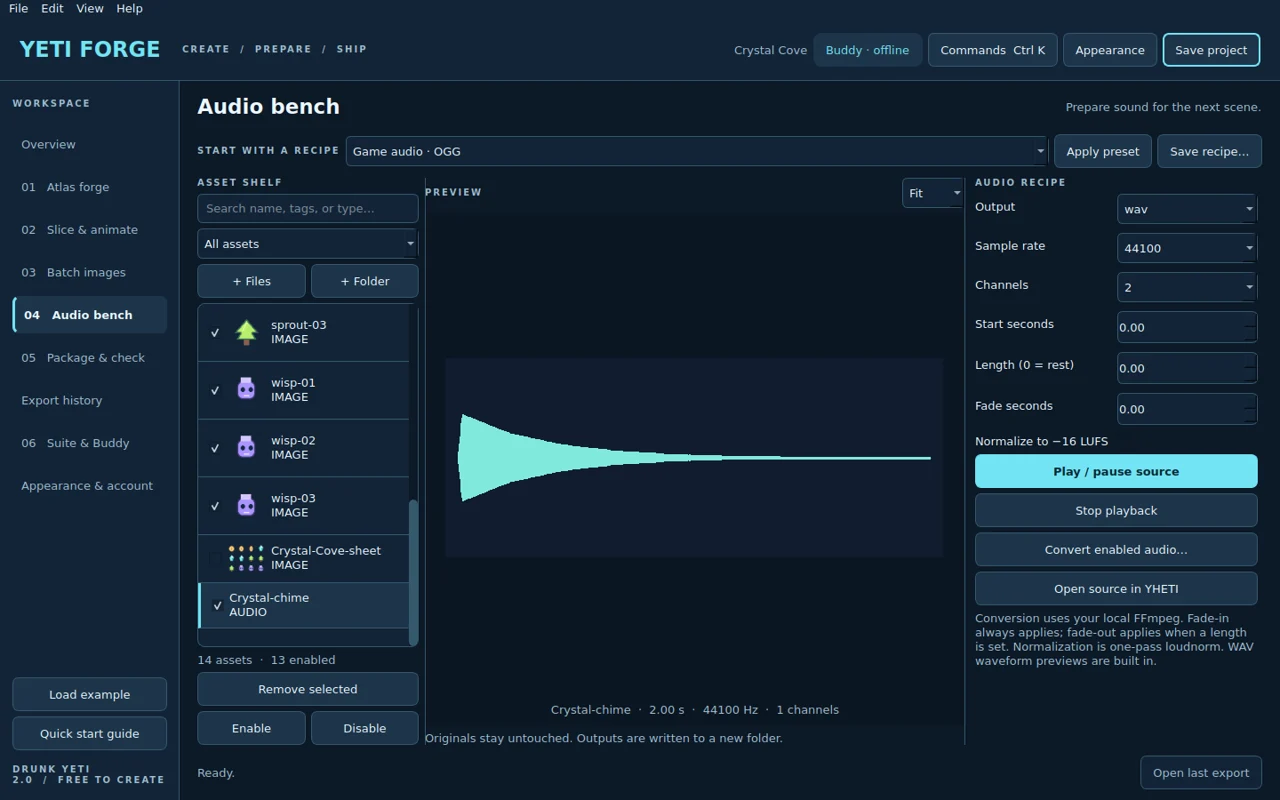
All creation tools and exports are free; no login or subscription is required. Optional account themes are cosmetic. The current release page distinguishes the packaged Linux build from Windows/macOS source launchers and explains system requirements.
Checked 2026-11-14 against the official release listing. See the listing for newer builds and full release details.